Attachment drag and drop with the updated PatternSkin
2014-05-28 - 02:25:13 by HideyoImazu in Usability

 JavaScript library.
With HTML5 capable browsers (including but not limited to Chrome 7+, Firefox 4+, IE 10+, Safari 6+), on the Attach page, the "Choose file" button
JavaScript library.
With HTML5 capable browsers (including but not limited to Chrome 7+, Firefox 4+, IE 10+, Safari 6+), on the Attach page, the "Choose file" button
is replaced with a rectangle area on which you can drag and drop files.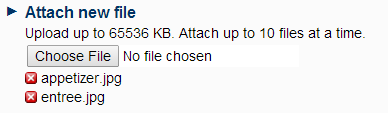
With non-HTML5 capable browsers, the Attach page behaves as before. As you see above, when an image file is dropped, its thumbnail is displayed. You can remove a file from the uploaded file list by clicking the "Remove file" button. If you click the "Drop files or click" area, a file dialog box shows up and you can choose multiple files from the box.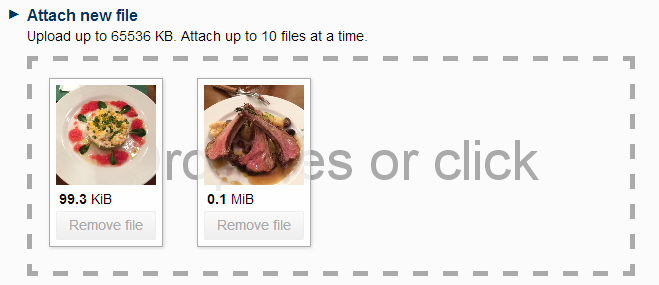
In contrast, the file dialog box shown by the "Choose file" button allows only one file to be selected at a time.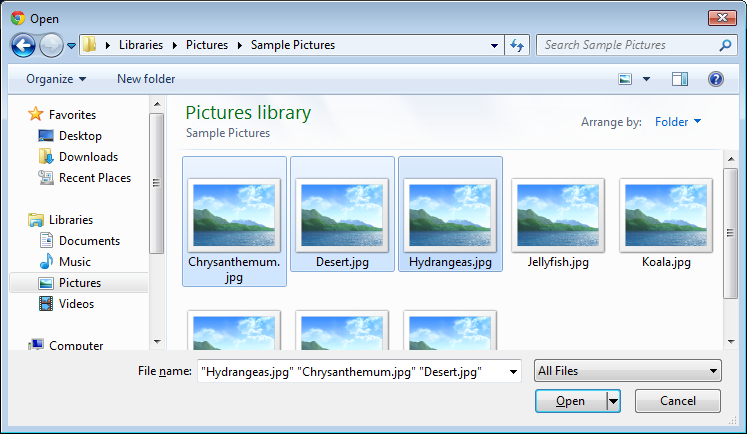
Comments
This is a very useful new feature, increasing the usability of TWiki. Thank you Hideyo-san! -- Peter Thoeny - 2014-05-28
 Edit | Attach |
 Topic revision: r2 - 2014-05-28 - HideyoImazu


 Site map
 Blog web

 Write New Post
 Blog Feed (ATOM)
 Changes
 Search
 Notifications
 Index
Index Statistics
 Preferences


 Account

 |
 |
|
|
|


 Ideas, requests, problems regarding TWiki? Send feedback. Ask community in the support forum.
Copyright © 1999-2026 by the contributing authors. All material on this collaboration platform is the property of the contributing authors.