TWiki as an enterprise wiki is frequently used across many teams in an organization. Over time more and more content is maintained in TWiki. Teams use many other enterprise systems in their daily activities, such as bug trackers in Engineering, CRM and ERP systems in Sales, and inventory systems in IT. With this there is a need to make these systems talk to each other. When an enterprise wiki is used as an intranet it lends itself to become the platform to glue these enterprise systems together.
Let's take an example: A major customer, Acme Systems, orders a custom firewall hardware product. The Sales folks keep track of the sales opportunity in Salesforce, and Engineering uses FogBugz for change management and bug tracking. Engineers typically do not have access to Salesforce, and Sales folks do not have access to FogBugz. Status updates are sent by e-mail and change requests are coordinated using e-mail, which is ineffective and error-prone. In this scenario it makes sense to tear down the silos and create a dashboard where Sales and Engineering can go to one place to see up to date information on this sales order.
TWiki as an enterprise wiki and application platform lends itself to create team dashboards and project dashboards that bring teams together. There are many ways to integrate enterprise systems in TWiki as shown in this TWiki I/O architecture diagram:
TWiki content (wiki pages, attachments) and TWiki applications reside in the data layer, shown in the middle in yellow. Wiki pages and attachments are typically unstructured. TWiki is a structured wiki, meaning is a platform that allows teams to create TWiki applications to structure content. Application developers use TML (TWiki Markup Language), HTML,CSS and JavaScript to create TWiki applications, such as project dashboards, status reporting systems, or inventory applications. These applications might store data internally in TWiki, or they might pull or store data in an external database.
This diagram shows how TWiki applications can interact with other enterprise systems. Let's start from top left and go clockwise.
2. Web Applications:
Many web applications have an API to interact with other web applications or with a server.
AJAX is a technology to interact with a server so that web pages can be partially updated without reloading the whole page. There is a TWiki.org blog that explains how Ajax works, it also has a TWiki specific Ajax example.
TWiki has a REST API. REST (REpresentative State Transfer) is a technique for implementing web services using XML documents plus standard HTTP, using its well-known operations (PUT, GET, POST, DELETE). TWiki has a preliminary RestPlugin. Any help in improving this plugin is appreciated; we invite developers to get involved with the TWiki community.
3. IFrame:
An iframe allows you to embed a web page in another web page. This is a convenient way to quickly mash up a dashboard that pulls data together from other web pages. Let's say you have a web-based bug tracker that has a page that shows a summary of recently updated bug items. You can embed that page in a team dashboard easily with an iframe. However, there is not much control over the format, if any. More work is involved if you want to have content shown in a specific format. This can be done with web applications that use REST, Ajax or database calls to query and format the data.
TWiki.org has an iframe example where you can learn how iframes work.
4. Transclusions:Transclusion is the inclusion of a page or part of a page into another web page by reference. For example, you might want to show an RSS feed in a TWiki page that mentions your company. This can be done with the HeadlinesPlugin.
It is also possible to INCLUDE an external page or part of an external page in a TWiki page. You can apply a regular expression to include part of an external page, which is also called screen scraping. Screen scraping can be done quickly, but it can be fragile because it may brake if the format of the included page changes.
Let's look at an example: Show me the title of RFC:4180 embedded in a TWiki page! We include the RFC page and apply a regular expression that pulls out only the title and discards the rest of the page:
RFC:4180: Common Format and MIME Type for Comma-Separated Values (CSV) Files
Transclusions can also be data driven using URL parameters. Let's assume there is a website that returns the city name for a ZIP code using a URL parameter, such as http://example.com/zip2city?zip=10001. Assuming the ZIP code is supplied via a URL parameter to the current TWiki page, it is possible to pass that along to the included page:
  City for ZIP code %URLPARAM{ "zip" encode="moderate" }%:
  %INCLUDE{
   "http://example.com/zip2city?zip=%URLPARAM{ "zip" encode="url" }%"
   pattern=".*?<h1>(.*?)</h1>.*"
  }%
TWiki has an extensive plugins API that has been enhanced over man years. Over time hundreds of plugins have been created; the ones that have been contributed back to the community are listed in the plugins repository on TWiki.org. Some of these plugins are designed to interface with external systems.
Two plugins handle database connectivity. Both, the DatabasePlugin and the DBIQueryPlugin, allow you to interact with almost any relational database, provided the proper driver is installed. It is possible to embed a SQL query in a TWiki page and format the result as a table. For example, an Engineering team might want to show a graph that indicates bug trends of their product. This can be done as follows: The ChartPlugin is pointed to a dynamically generated table that is produced by a SQL query embedded in the TWiki page.
6. Other Systems:
Tools that have a command line interface can interact with TWiki in two ways. First, Perl scripts can directly interact with the TWiki::Func API to interact with TWiki content. Scripts can also interact with a custom API a TWiki plugin may provide, which can be done over pipe, sockets or RPC.
7. Add-on Scripts:
Third-party scripts can be used to push content into TWiki. WebFetch is one such tool that provides a framework for retrieving information from web sites to export to other sites, including TWiki. Say, instead of showing an RSS feed or ATOM feed in a TWiki page, you want to push RSS or ATOM content into TWiki in a structured way so that it is possible to query the content in TWiki. For example, a marketing team might want to have a permanent record of news sites and blogs that mention their product. TWiki's WebFetch add-on is designed to push external website content into TWikiForms based pages, which makes it easy to query the data in TWiki.
8. Mail Integration:
TWiki has outbound mail integration by default. This is used to alert users of recent changes (subscribe in WebNotify in any TWiki web), and to verify e-mail addresses when creating a TWiki account.
Inbound e-mail integration is possible with the MailInContrib. For some applications it useful to push e-mail content into TWiki. For example, in a TWiki based CRM or support ticket system you might want to CC TWiki to push customer interaction into TWiki.
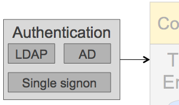
9. Authentication:
Users do not want to be bothered with multiple accounts and logins when looking at a dashboard, or when interacting with a TWiki application. Many organizations use Active Directory (AD) or an LDAP server so that the employees can login to various systems with the same username and password. TWiki has an LDAP integration to authenticate users against AD or LDAP. It is also possible to use single sign-on where users authenticate just once across various web-based systems.
To summarize, TWiki lends itself to glue enterprise systems together, e.g. to tear down silos. Many plugins and add-ons are available so that you do not need to reinvent the wheel.
Do you have silos in your organization? What kind of integration challenges do you face?


 is the inclusion of a page or part of a page into another web page by reference. For example, you might want to show an RSS feed in a TWiki page that mentions your company. This can be done with the HeadlinesPlugin.
It is also possible to INCLUDE an external page or part of an external page in a TWiki page. You can apply a regular expression to include part of an external page, which is also called screen scraping. Screen scraping can be done quickly, but it can be fragile because it may brake if the format of the included page changes.
Let's look at an example: Show me the title of RFC:4180
is the inclusion of a page or part of a page into another web page by reference. For example, you might want to show an RSS feed in a TWiki page that mentions your company. This can be done with the HeadlinesPlugin.
It is also possible to INCLUDE an external page or part of an external page in a TWiki page. You can apply a regular expression to include part of an external page, which is also called screen scraping. Screen scraping can be done quickly, but it can be fragile because it may brake if the format of the included page changes.
Let's look at an example: Show me the title of RFC:4180




 Site map
 Blog web

 Write New Post
 Blog Feed (ATOM)
 Changes
 Search
 Notifications
 Index
Index Statistics
 Preferences


 Account





 Ideas, requests, problems regarding TWiki? Send feedback. Ask community in the support forum.