Client-Server vs. Peer to peer
These instructions show client server interaction, with the virtual PC session acting as a long-running server. You could use two PCs or a Windows and a UNIX box. When unison is run ssh nothing needs to be pre-running on a server side; the initiator runs the server process and the two act as peers. The instructions I show are for the GUI version, but there is a command line batch version too I am not clear whether Unison has to have a SSH server for peer-to-peer windows to windows synchronization. Of particular concern is the issue of naming. I connect our PCs at home in many different ways: WiFi, Bluetooth, infrared. The IP addresses continually change. And will be different over each transport.Networking with Virtual PC
You could use two PCs or a Windows and a UNIX box. I used a virtual host on my laptop. Host:- Loopback adapter IP address:
- Ethernet adapter Local Area Connection 3:
  Connection-specific DNS Suffix  . :
  IP Address. . . . . . . . . . . . : 192.168.131.1
  Subnet Mask . . . . . . . . . . . : 255.255.255.0
  Default Gateway . . . . . . . . . :
Virtual PC:
- 1 Ethernet adapter :
  IP Address. . . . . . . . . : 192.168.131.66
  Subnet Mask . . . . . . . . : 255.255.255.0
  Default Gateway . . . . . . : 192.168.131.254
Ensuring that I really am hitting the host
From the virtual PC I can hit ... ... and I get the server running on the host From the host I can hit : http://192.168.131.66/twiki/bin/configure The virtual host log apache file responds:
• 192.168.131.1 - - [23/Jul/2005:22:26:26 +0000] "GET /twiki/bin/configure HTTP/1.1" 200 83561
• 192.168.131.1 - - [23/Jul/2005:22:27:00 +0000] "GET /favicon.ico HTTP/1.1" 404 282
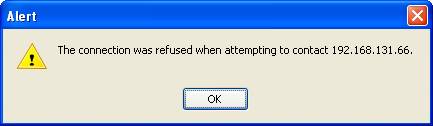
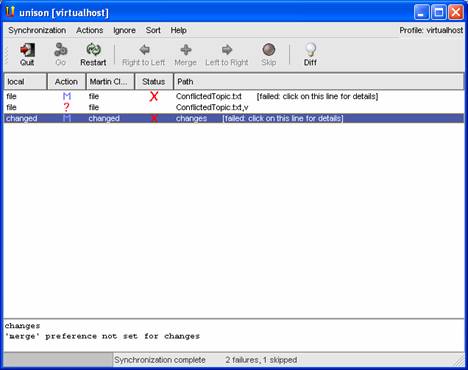
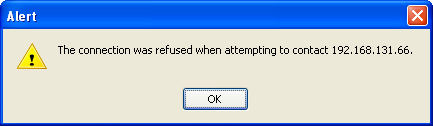
Furthermore, killing the server on the virtual PC and then hitting it from the host renders:
The virtual host log apache file responds:
• 192.168.131.1 - - [23/Jul/2005:22:26:26 +0000] "GET /twiki/bin/configure HTTP/1.1" 200 83561
• 192.168.131.1 - - [23/Jul/2005:22:27:00 +0000] "GET /favicon.ico HTTP/1.1" 404 282
Furthermore, killing the server on the virtual PC and then hitting it from the host renders:
- image002.jpg:
Initiating from the Host to Virtual PC
Create a profile C:\> Unison- image003.png:
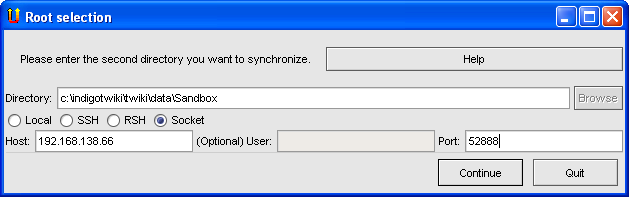
- image004.jpg:
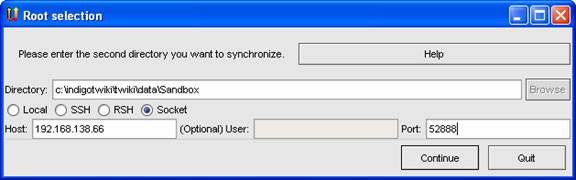
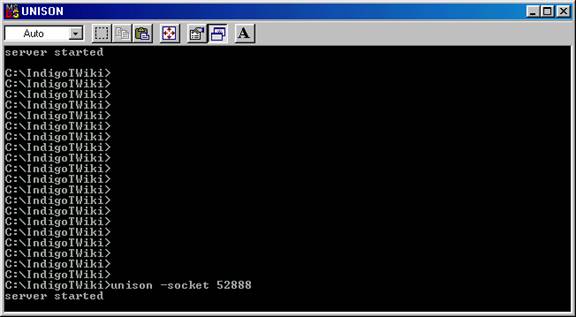
Start the server on the virtual host:
- image006.jpg:

Connect to the virtual PC session
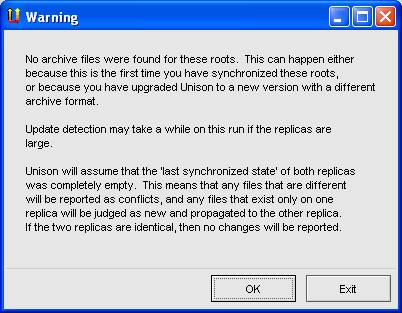
C:> unison.exe virtualhost As this is the first time we have used the profile it shows a message.- image008.jpg:
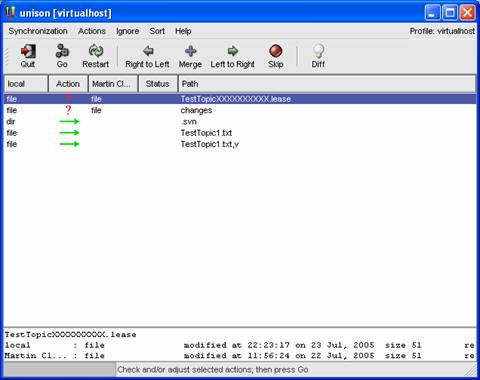
Initial Sync after having made one change
- image010.jpg:
- image012.jpg:
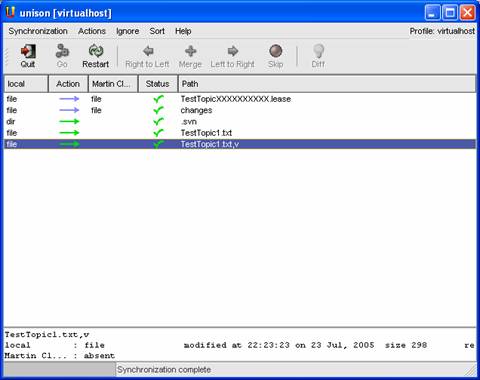
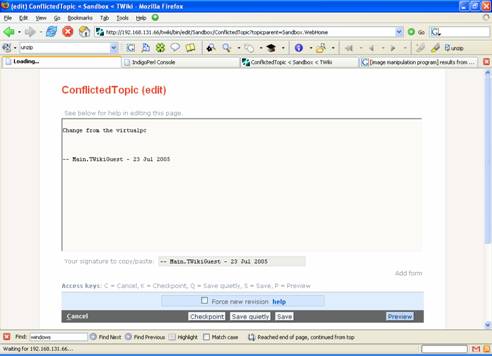
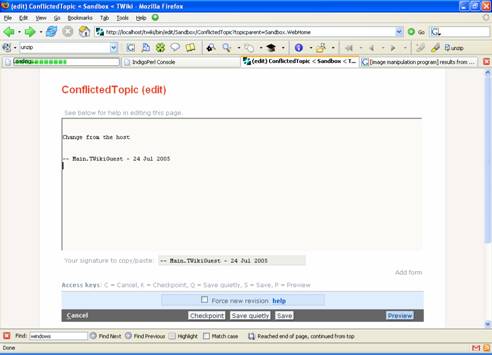
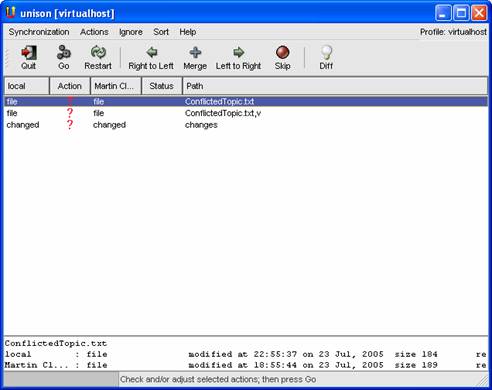
Making a conflict
- image014.jpg:
- image016.jpg:
- image018.jpg:
- image020.jpg:
Debugging using Unison
Regular log files
See C:\Documents And Settings\User Name\.unison.log. e.g.:UNISON started propagating changes at 14:32:21 on 24 Jul 2005 [CONFLICT] Skipping ConflictedTopic.txt [CONFLICT] Skipping ConflictedTopic.txt,v [CONFLICT] Skipping changes [BGN] Copying TestTopic2.txt from C:/moreprgs/indigoperl/apache/TWiki/data/Sandbox to //Martin Cleaver/c:/indigotwiki/twiki/data/Sandbox [BGN] Copying TestTopic2.txt,v from C:/moreprgs/indigoperl/apache/TWiki/data/Sandbox to //Martin Cleaver/c:/indigotwiki/twiki/data/Sandbox [BGN] Updating file TestTopicXXXXXXXXXX.lease from C:/moreprgs/indigoperl/apache/TWiki/data/Sandbox to //Martin Cleaver/c:/indigotwiki/twiki/data/Sandbox [END] Copying TestTopic2.txt [END] Copying TestTopic2.txt,v [END] Updating file TestTopicXXXXXXXXXX.lease UNISON finished propagating changes at 14:32:44 on 24 Jul 2005Debug modes
- Debug = all
Client side:
 unison.exe virtualhost -debug all

Server side:
Unison –server 52888 –debug all
Both sides will spill tons of information about connecting, comparing, etc.
- Debug = verbose
- image022.jpg:


| I | Attachment | History | Action | Size | Date | Who | Comment |
|---|---|---|---|---|---|---|---|
 png png |
image001.png | r1 | manage | 7.5 K | 2005-07-25 - 22:58 | UnknownUser | |
 jpg jpg |
image002.jpg | r1 | manage | 8.7 K | 2005-07-25 - 22:58 | UnknownUser | |
| png |
image003.png | r1 | manage | 12.1 K | 2005-07-25 - 22:59 | UnknownUser | |
| jpg |
image004.jpg | r1 | manage | 18.5 K | 2005-07-25 - 22:59 | UnknownUser | |
| jpg |
image006.jpg | r1 | manage | 9.0 K | 2005-07-25 - 23:00 | UnknownUser | |
| jpg |
image008.jpg | r1 | manage | 23.0 K | 2005-07-25 - 23:00 | UnknownUser | |
| jpg |
image010.jpg | r1 | manage | 31.3 K | 2005-07-25 - 23:01 | UnknownUser | |
| jpg |
image012.jpg | r1 | manage | 23.0 K | 2005-07-25 - 23:01 | UnknownUser | |
| jpg |
image014.jpg | r1 | manage | 22.6 K | 2005-07-25 - 23:02 | UnknownUser | |
| jpg |
image016.jpg | r1 | manage | 22.5 K | 2005-07-25 - 23:03 | UnknownUser | |
| jpg |
image018.jpg | r1 | manage | 22.2 K | 2005-07-25 - 23:03 | UnknownUser | |
| jpg |
image020.jpg | r1 | manage | 24.3 K | 2005-07-25 - 23:04 | UnknownUser | |
| jpg |
image022.jpg | r1 | manage | 21.5 K | 2005-07-25 - 23:04 | UnknownUser |

Topic revision: r9 - 2005-08-05 - MartinCleaver


 Site map
 Blog web

 Create New Topic
 Index
Index Search
 Advanced search
 My topics of interest
 Changes
 Major changes only
 All tags
 Notifications
 RSS Feed
 Statistics
 Preferences
 Community
  Readme first
 Developers News
 How you can help
 Community roles
 #twiki IRC
 Lima Release
 Feature Proposals
 Bugs Changes
 Categories


 Account





























 Ideas, requests, problems regarding TWiki? Send feedback. Ask community in the support forum.
Copyright © 1999-2026 by the contributing authors. All material on this collaboration platform is the property of the contributing authors.