SID-01785: Migration
| Status: |
 Answered Answered |
TWiki version: |
|
Perl version: |
5 |
| Category: |
CategoryInstallation |
Server OS: |
RHEL |
Last update: |
3 years ago |
Hello, I have never used twiki before, but I have been tasked with migrating an existing Twiki form one Linux system to another. I have tried copying the twiki directory into the new systems webroot, yet I am still unable to view teh wiki. When trying to access a page I either see the code of teh file in the browser as I would a txt file, or I get a file not found error when the file does exist.
--
 Ben Joyner - 2013-08-15
Discussion and Answer
Please follow the
TWikiInstallationGuide in regards to apache configuration. You can use the
ApacheConfigGenerator to generate the config file. On RedHat I recommend to put TWiki into
/var/www/twiki, don't put it under
/var/www/html/ which would have negative implications on security.
--
 Peter Thoeny - 2013-08-15
Hello Peter, I have tried using the gide, but I am still having issues. I have used the generator and I get errors when trying to start httpd that there is a problem with the config file.
--
Ben Joyner - 2013-08-21
We can't help without more details. What is the error message? What do you see on the apache error log?
--
Peter Thoeny - 2013-08-21
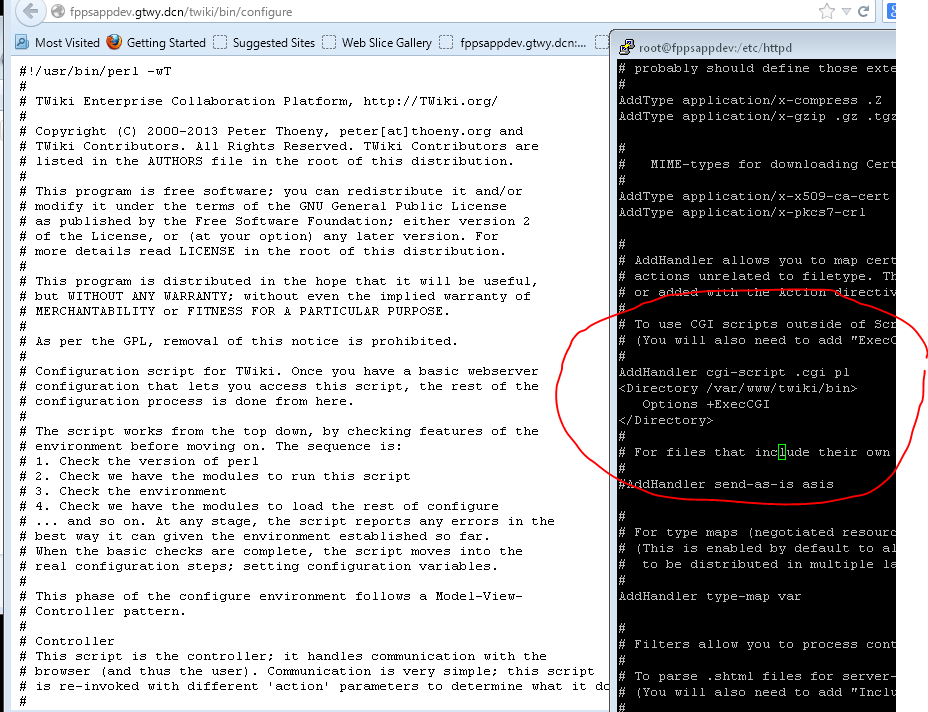
Hello Peter I found the problem with apache not restarting I thought I had php installed but it wasnt, so when the twiki.conf file tried to disable the php admin flag it was unable. I have corrected that, however, the scripts still do not apear to be loading in the browser. I still just see the txt of the script instead of teh script running. I have other sites that use CGI scripts without issue, and I have verified that I do have perl 5.10 and i do have the line modified in httpd.conf to target /var/www/twiki/bin for cgi files I attached a screenshot of the browser results and the line in httpd.conf
--
Ben Joyner - 2013-08-22
Do you have the script alias defined?
ScriptAlias /do "/var/www/twiki/bin"
And in the directory directive:
Options ExecCGI
SetHandler cgi-script
--
Peter Thoeny - 2013-08-22
Yes I believe I do have both of those set correctly. I am attaching my httpd.conf file to the ticket so you can see what settings I have made.
--
Ben Joyner - 2013-08-26
You have two
<Directory "/var/www/twiki/bin"> sections - remove the one without the quotes.
Also, for later system upgrade it is better not to add the twiki config to your
httpd.conf file. Better to create a
twiki.conf in
/etc/httpd/conf.d based on the one generated using TWiki's apache config generator.
--
Peter Thoeny - 2013-08-26
Hello Peter, I comented out the second refrence, the one without quotes and restarted httpd. However, i still am unable to run the in browser configure scripty. I still just see the code in text form. Also, I did create a twiki.conf file using the generator and have it in the conf.d folder, but its not making any difference.
--
Ben Joyner - 2013-08-27
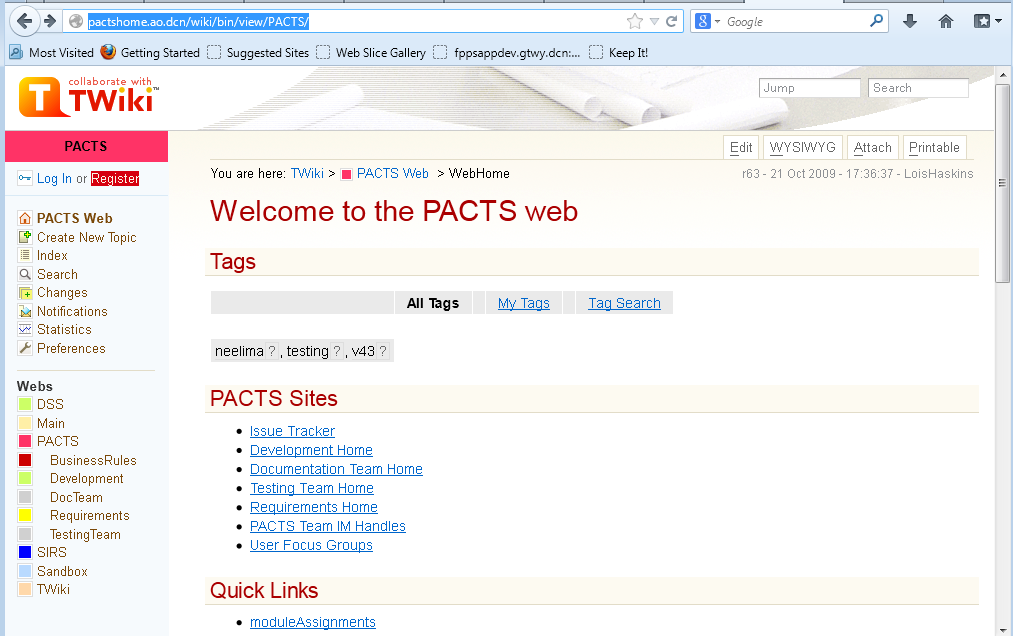
Hello Peter, I have found the error in getting teh scripts to run. I wasnt targeting the address at do/configure, I was using bin/configure. I was abel to get the configure script to run and I corrected all errors and warning that it showed. Yet I still cannot view the pages of teh wiki properly, the formatting is off and teh images are missing. I have attached a screenshot of how the page looked before migration and after
--
Ben Joyner - 2013-08-27
That means the pub path is incorrect.
--
Peter Thoeny - 2013-08-27
Thank you peter Everything is working fine now.
--
Ben Joyner - 2013-08-28
--
Ben Joyner - 2013-08-28
Hello Peter, it seems that there are still some issues. SOme of the pages do not load, they give the error:
TWiki detected an internal error - please check your TWiki logs and webserver logs for more information.
ERROR!! Not possible to connect database!!
I looked on the origional system and the pages load fine. Theer is a mysql databse on the server, but it is empty. I tried to log into teh system to follow the links however, as this is an older wiki I do not have an account and the system is not letting me register for one. None of the employees who hav accounts are still working with the company either.
I get teh following error when trying to create an account:
TWiki detected an internal error - please check your TWiki logs and webserver logs for more information.
Failed to open file: Permission denied
Also, is theer a default admin account I can use to get into the wiki am make changes, and edit settings. I tried admi:password and administrator:password and root:password each using teh password I created when i ran teh configure script, but none of these worked.
--
Ben Joyner - 2013-08-28
That must be from one of the database plugins. Make sure all dirs and files below
twiki/data twiki/pub twiki/working is owned by the webserver user.
If you use the standard password manager and login manager you can login as "admin" with the configure password.
--
Peter Thoeny - 2013-08-28
Hello Peter, I have tried using admin and the password i setup durring configuration bu that is rejected. I ensured that all twiki files are owned but the webuser yet I am still getting the cannot connect to database error when trying to access certain pages. the registration is progressing though it is telling me that it cannot send mail out. it looks the its configured to use the wrong mail server. what file do i configure the mailserver in for twiki?
--
Ben Joyner - 2013-08-29
Hello Peter, I was able to find that mail setting snd correct them to get the registration portion up and running. Now the only aparent issue is the cannot connetc to database error when trying to access a large portion of the pages.
--
Ben Joyner - 2013-08-29
Hello Peter,
Is theer any progress on this issue?
--
Ben Joyner - 2013-09-04
Is there any solution for this unable to connect to database error?
--
Ben Joyner - 2013-09-10
Any update on this? Last update was over a week ago.
--
Ben Joyner - 2013-09-17
I resolved this issue on my own.
--
Ben Joyner - 2013-09-18
How did you resolve the issue. I am having issues to when trying to migrate twiki from one server to another. Below is the error
| 2022-12-26 - 21:44:50 |
TWikiUserMapping has TURNED OFF
EnableNewUserRegistration, because the password file is read only.
--
Jaya Prasad kusuma - 2023-01-12
Cross posted in
SID-02498
--
Peter Thoeny - 2023-01-13
 If you answer a question - or someone answered one of your questions - please remember to edit the page and set the status to answered. The status selector is below the edit box.


 png
png  conf
conf 


 Site map
 Blog web

 Search
 Changes
 RSS Feed
 Notifications
 Statistics
 Preferences
 Register new user
 Support Forum
  Ask a question
 Open questions
  My recent questions
 Get quick help in #twiki IRC channel







 Ideas, requests, problems regarding TWiki? Send feedback. Ask community in the support forum.