SID-01162: Tables rendering funny in Firefox 4
| Status: |
 Answered Answered |
TWiki version: |
4.3.1 |
Perl version: |
|
| Category: |
TablePlugin |
Server OS: |
Kubunto 10.04 |
Last update: |
15 years ago |
With the upgrade to FF4, tables render funny -- in particular, some of them -- such as the attachement list --- have black cell borders. They're ok if done with HTML; may be something about the table plugin ?
--
JonHertzig - 2011-05-04
Discussion and Answer
Could you attach a screenshot?
--
PeterThoeny - 2011-05-04
I have not installed FF 4 yet so I do not know how it looks like. For testing purposes you can see the three tables on this page: overview table on top, support form table below, and attachment table at bottom of page. Do they look funky?
Mozilla support topic is at
http://support.mozilla.com/en-US/questions/817277
--
PeterThoeny - 2011-05-04
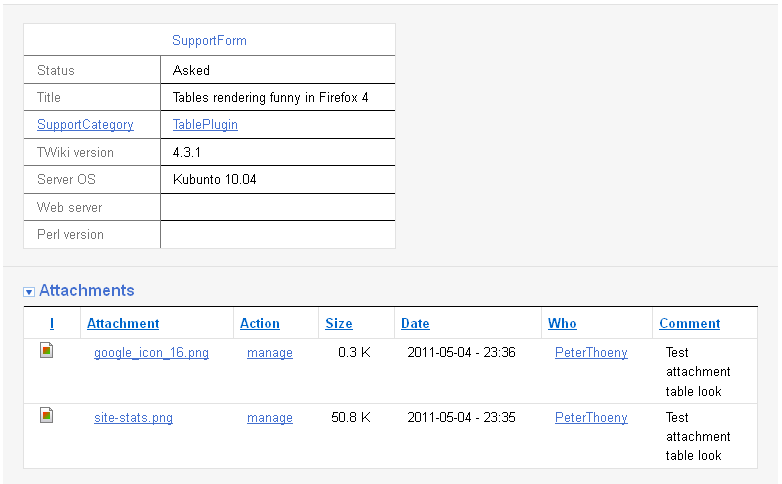
Here is a screenshot using FF 4 on Win XP:
--
PeterThoeny - 2011-05-04
And here is a screenshot using IE 8 on Win XP:

--
PeterThoeny - 2011-05-04
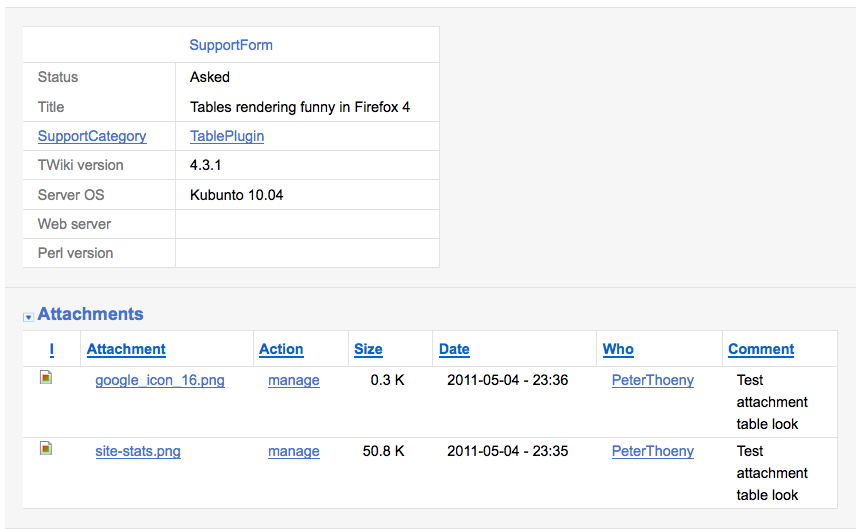
Here is screenshot using FF 3.5 on OS-X Leopard:
--
PeterThoeny - 2011-05-04
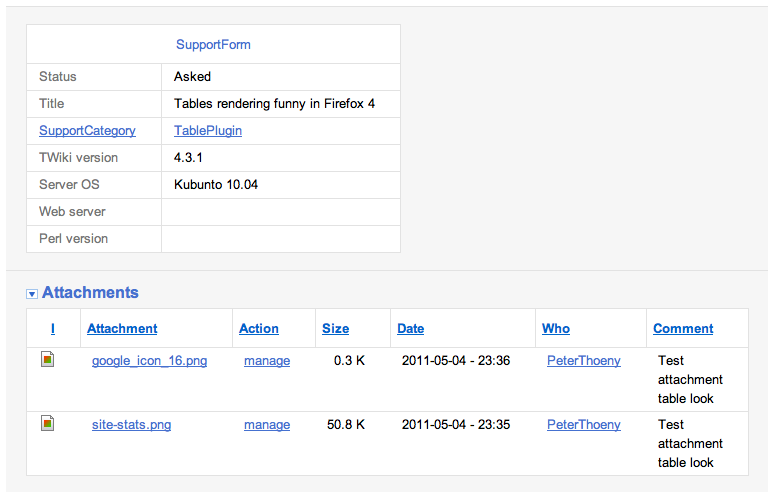
Here is a screenshot using Safari 5 on OS-X Leopard:
--
PeterThoeny - 2011-05-04
So indeed, there are some issues with table border colors on FF 4.
--
PeterThoeny - 2011-05-04
I added an update upstream at
https://support.mozilla.com/en-US/questions/817277
--
PeterThoeny - 2011-05-05
Here's a workaround: use the
table plugin and specify tablerules="all".
So at a minimum, include this directly before your table:
%TABLE{ tablerules="all" }%
--
JonHertzig - 2011-05-31
Is there any way to make the
tablerules="all" the default? I don't really want to go round all our tables just to fix this issue.
--
DuncanKinnear - 2011-06-28
This is now tracked in
TWikibug:Item6779. It is also fixed in SVN trunk and TWiki-5.0 branch.
To fix your installation, edit your TWiki.TablePlugin and change
tablerules="rows" to tablerules="all" in the TABLEATTRIBUTES setting.
--
PeterThoeny - 2011-07-28
 If you answer a question - or someone answered one of your questions - please remember to edit the page and set the status to answered. The status selector is below the edit box.


 png
png 


 Site map
 Blog web

 Search
 Changes
 RSS Feed
 Notifications
 Statistics
 Preferences
 Register new user
 Support Forum
  Ask a question
 Open questions
  My recent questions
 Get quick help in #twiki IRC channel







 Ideas, requests, problems regarding TWiki? Send feedback. Ask community in the support forum.