Question
I've installed the WikiwygContrib as desrcibed and set theCOMPOSER variable to wikiwyg but when I click the WYSIWYG link kupu starts.
So I changed the setting of the cover parameter on the edit URL from cover=kupu to cover=wikiwyg.
Now wikiwyg starts but with following results: - a "please wait" message - Sreenshot 1
- my topic in a view-like mode without any
editfunctionalities - Screenshot 2
Screenshot 1
 screenshot 2
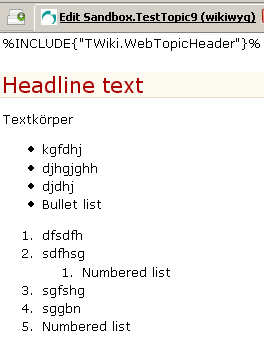
Do I have to install anything else from the wikiwyg hompage
 ? Or change more settings?
Cheers,
Carlo
? Or change more settings?
Cheers,
Carlo
Environment
Answer
 If you answer a question - or someone answered one of your questions - please remember to edit the page and set the status to answered. The status selector is below the edit box.
  Instead of a PatternSkin like view mode i got a edit like view mode.
-- CarloSchulz - 13 Dec 2006
Sorry, closing after more than 30 days...
-- PeterThoeny - 07 Feb 2007
Instead of a PatternSkin like view mode i got a edit like view mode.
-- CarloSchulz - 13 Dec 2006
Sorry, closing after more than 30 days...
-- PeterThoeny - 07 Feb 2007


| I | Attachment | History | Action | Size | Date | Who | Comment |
|---|---|---|---|---|---|---|---|
 png png |
pleaseWait.png | r2 r1 | manage | 6.4 K | 2006-10-31 - 15:29 | UnknownUser | |
| png |
wikiwyg.png | r1 | manage | 6.2 K | 2006-10-31 - 15:29 | UnknownUser |

Topic revision: r7 - 2007-02-22 - CarloSchulz


 Site map
 Blog web

 Search
 Changes
 RSS Feed
 Notifications
 Statistics
 Preferences
 Register new user
 Support Forum
  Ask a question
 Open questions
  My recent questions
 Get quick help in #twiki IRC channel


 Ideas, requests, problems regarding TWiki? Send feedback. Ask community in the support forum.
Copyright © 1999-2026 by the contributing authors. All material on this collaboration platform is the property of the contributing authors.