SID-01809: Cannot see how to install and access plugins
| Status: |
 Answered Answered |
TWiki version: |
5.1.4 |
Perl version: |
5.10.1 |
| Category: |
CategoryPlugins |
Server OS: |
RHEL 6 |
Last update: |
12 years ago |
I have the read the documentation (many times hoping to find a clue) about how to install plugins. It says that plugins can be installed using the configure script. Open the Extensions tab and follow the directions. I don't see an "Extensions" tab from the "do/configure" page. What is wrong?
Once I get a plugin installed, how do I access it?
The documentation seems very fragmented on this topic. Is there a place I can find better info?
I feel lost and not making progress. Thanks!
--
 Tim Gross - 2013-10-23
Discussion and Answer
Initially you only see two accordion tabs in configure. Once TWiki is configured you'll see all tabs. Towards the bottom you should see the Extensions tab. Open it to find the link to install extensions.
--
 Peter Thoeny - 2013-10-23
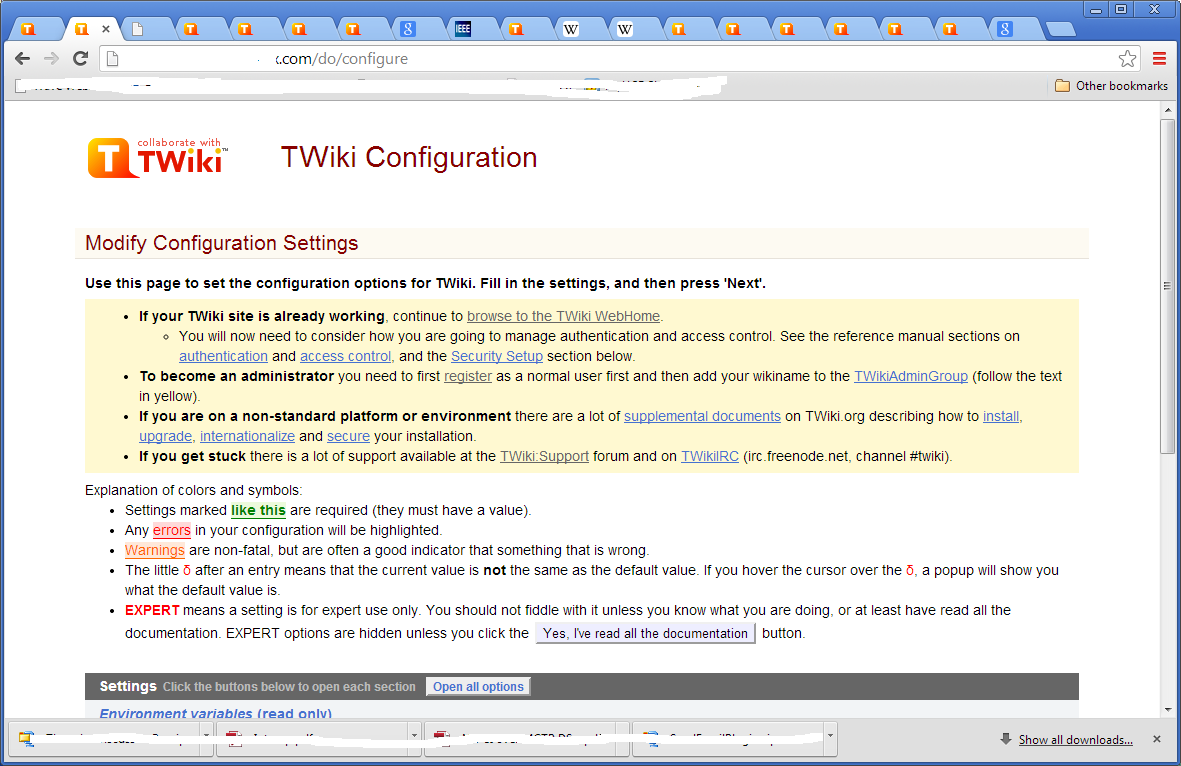
Sorry, I am still not getting it. I don't see any tabs at all. I attached a screen shot of my configure screen. What
should it look like?
--
Tim Gross - 2013-10-23
The "Environment variables (read only)" is the first accordion tab/bar. Scroll down and you will see the "Extensions" tab/bar. Click on it. In there click on the "Find More Extensions" link.
--
Peter Thoeny - 2013-10-24
Ok, I see that now. What is the difference between plugins and extensions? Once I have one installed, how do I find and use it?
--
Tim Gross - 2013-10-24
See
Plugins.ReadmeFirst. Installed plugins are listed in your TWiki web - see "User Reference" pulldown.
--
Peter Thoeny - 2013-10-24
 If you answer a question - or someone answered one of your questions - please remember to edit the page and set the status to answered. The status selector is below the edit box.


 png
png 


 Site map
 Blog web

 Search
 Changes
 RSS Feed
 Notifications
 Statistics
 Preferences
 Register new user
 Support Forum
  Ask a question
 Open questions
  My recent questions
 Get quick help in #twiki IRC channel




 Ideas, requests, problems regarding TWiki? Send feedback. Ask community in the support forum.