Question
GenPDFAddOn is throwing an I/O error on some images (not all). I don't see any images in temp (C:\Windows\temp) as I'm supposed to (apparently), even when they show up in the PDF. This appears to be a common problem (as seen here in Support as well as GenPDFAddOnDev), but I can't find a clear description of the work-around.Environment
- GenPDFAddOn version: 2 Nov 2007
- HTMLDOC version: 1.8.24
Answer
 If you answer a question - or someone answered one of your questions - please remember to edit the page and set the status to answered. The status selector is below the edit box.
  In fact the GUI fixes so many of the issues I'm having with the AddOn, I'm wondering why others haven't mentioned them. Maybe my installation is messed up? Is it "normal" for me to have the following problems?
| AddOn Problems | Fixed with GUI? | Remarks |
|---|---|---|
| 1. Error on some images | YES | - |
| 2. Numbered ToC is not right-justified | YES | - |
3. Loses any text before a TWiki ToC (e.g., Title and Description) because it does not evaluate VIEW_TEMPLATE (TWikibug:Item4437 ) ) |
YES | - |
| 4. Links are not visible: -> external links (white on white) are invisible -> internal links (black on white) are not visibly hyperlinked |
YES | Can be fixed by setting link color to blue with the GUI. The same option can be set in the .pm file, but the AddOn still doesn't render it properly. This was requested by TWiki:Main.YuvalAviel on 07 Dec 2006 (TWiki:Plugins.GenPDFAddOnDev) |
- HTMLDOC 1.8.25 (Nov 18, 2005) adds new fonts, improves header support, and improves CGI support on Windows. It also fixes a number of rendering issues.
- HTMLDOC 1.8.26 (Apr 03, 2006) improves table formatting and PostScript and PDF output. It also fixes a first page header bug in the GUI.
- HTMLDOC 1.8.27 (Aug 02, 2006) fixes several rendering, output, and networking issues.
htmldoc --webpage -f CLI.PDF --format pdf14 --book --no-embedfonts --linkcolor #0000FF http://<topic's URL>?cover=print-- SeanCMorgan - 18 Jun 2008 I finally have a work-around:
push @htmldocArgs, "--no-compression"; # Work-around for intermittent image corruption problem-- SeanCMorgan - 18 Jun 2008


| I | Attachment | History | Action | Size | Date | Who | Comment |
|---|---|---|---|---|---|---|---|
 gif gif |
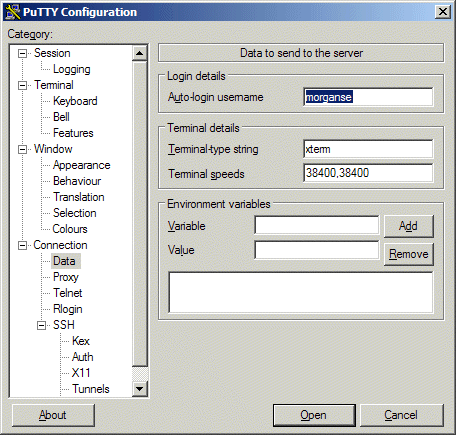
AutologinUsername.gif | r1 | manage | 38.1 K | 2008-05-07 - 23:04 | UnknownUser | A generated PDF will bomb when it gets to this image. |
| gif |
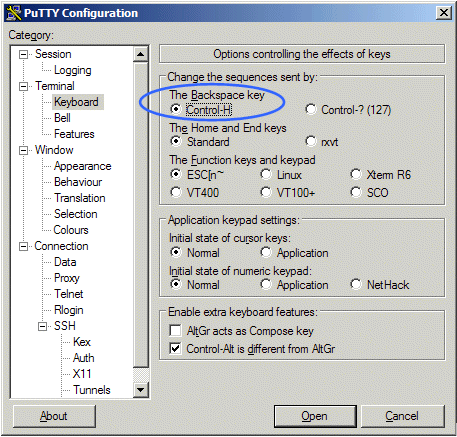
Keyboard.gif | r1 | manage | 50.0 K | 2008-05-07 - 23:03 | UnknownUser | A topic with this image will work |

Topic revision: r8 - 2008-06-18 - SeanCMorgan


 Site map
 Blog web

 Search
 Changes
 RSS Feed
 Notifications
 Statistics
 Preferences
 Register new user
 Support Forum
  Ask a question
 Open questions
  My recent questions
 Get quick help in #twiki IRC channel





 Ideas, requests, problems regarding TWiki? Send feedback. Ask community in the support forum.
Copyright © 1999-2026 by the contributing authors. All material on this collaboration platform is the property of the contributing authors.